Automating vCenter Inventory (VMs, Hosts, Datastores) Using Python REST APIs
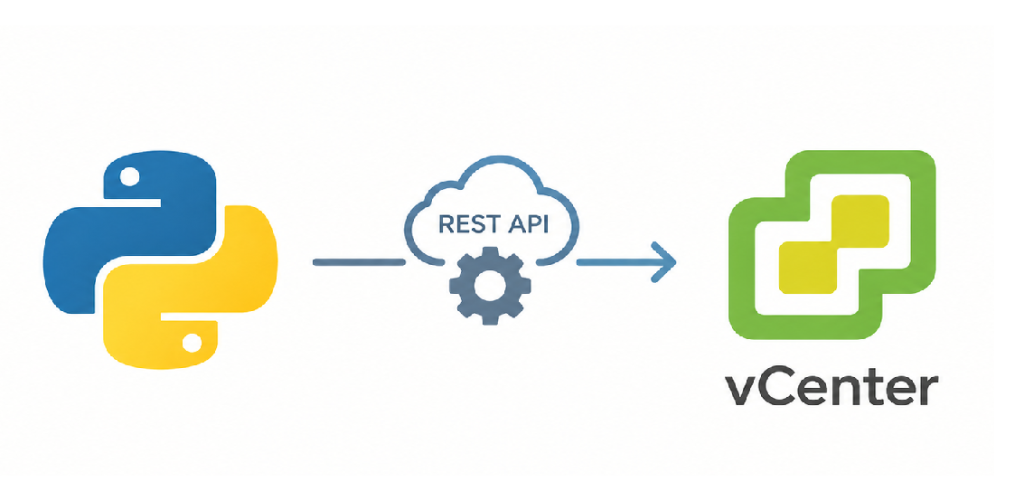
When managing a large VMware infrastructure, logging into the vSphere client manually to fetch configuration details or asset inventories quickly becomes a bottleneck. Fortunately, modern VMware environments offer a robust vCenter REST API that allows you to extract inventory details programmatically.
In this post, we will look at a ready-made Python Class that acts as an easy-to-use functions box. It completely handles authentication and lets you pull information for Virtual Machines (VMs), ESXi Hosts, Datastores, and Networks with single-line commands.
The vCenter API Functions Box
from dotenv import load_dotenv
import requests, os, urllib3
urllib3.disable_warnings(urllib3.exceptions.InsecureRequestWarning)
load_dotenv("/Path/to/your/data.env")
class vmware_vcenter_api:
    def __init__(self):
        self.base_url = os.getenv("VCENTER_URL", "").rstrip("/")
        self.username = os.getenv("VCENTER_USERNAME")
        self.password = os.getenv("VCENTER_PASSWORD")
        self.api_url = f"{self.base_url}/api/vcenter"
        self.token = self.get_vcenter_token()
    # Get token to use in any other function
    def get_vcenter_token(self):
        url = f"{self.base_url}/api/session"
        try:
            response = requests.post(url, auth=(self.username, self.password), verify=False)
            response.raise_for_status()
            return response.json()
        except requests.RequestException as e:
            print(f"Error: {e}")
            return None

    def get_vms(self):
        url = f"{self.api_url}/vm"
        headers = {"vmware-api-session-id": self.token}
        try:
            response = requests.get(url, headers=headers, verify=False)
            response.raise_for_status()
            return response.json()
        except requests.RequestException as e:
            print(f"Error: {e}")
            return []

    def get_vm_details(self, vm_id):
        url = f"{self.api_url}/vm/{vm_id}"
        headers = {"vmware-api-session-id": self.token}
        try:
            response = requests.get(url, headers=headers, verify=False)
            response.raise_for_status()
            return response.json()
        except requests.RequestException as e:
            print(f"Error: {e}")
            return {}

    def get_hosts(self):
        url = f"{self.api_url}/host"
        headers = {"vmware-api-session-id": self.token}
        try:
            response = requests.get(url, headers=headers, verify=False)
            response.raise_for_status()
            return response.json()
        except requests.RequestException as e:
            print(f"Error: {e}")
            return []

    def get_host_details(self, host_id):
        url = f"{self.api_url}/host/{host_id}"
        headers = {"vmware-api-session-id": self.token}
        try:
            response = requests.get(url, headers=headers, verify=False)
            response.raise_for_status()
            return response.json()
        except requests.RequestException as e:
            print(f"Error: {e}")
            return {}

    def get_datastores(self):
        url = f"{self.api_url}/datastore"
        headers = {"vmware-api-session-id": self.token}
        try:
            response = requests.get(url, headers=headers, verify=False)
            response.raise_for_status()
            return response.json()
        except requests.RequestException as e:
            print(f"Error: {e}")
            return []

    def get_datastore_details(self, datastore_id):
        url = f"{self.api_url}/datastore/{datastore_id}"
        headers = {"vmware-api-session-id": self.token}
        try:
            response = requests.get(url, headers=headers, verify=False)
            response.raise_for_status()
            return response.json()
        except requests.RequestException as e:
            print(f"Error: {e}")
            return {}

    def get_networks(self):
        url = f"{self.api_url}/network"
        headers = {"vmware-api-session-id": self.token}
        try:
            response = requests.get(url, headers=headers, verify=False)
            response.raise_for_status()
            return response.json()
        except requests.RequestException as e:
            print(f"Error: {e}")
            return []

    def get_network_details(self, network_id):
        url = f"{self.api_url}/network/{network_id}"
        headers = {"vmware-api-session-id": self.token}
        try:
            response = requests.get(url, headers=headers, verify=False)
            response.raise_for_status()
            return response.json()
        except requests.RequestException as e:
            print(f"Error: {e}")
            return {}
You can define any action to this class as you need. If you want to pull another resource type (like clusters or content libraries), you can easily add a new function block using the single-line layout:
def get_clusters(self):
    return self._get_request("cluster", [])
    ...
To keep your script secure and clean, do not hardcode your credentials. Create a .env file in your project directory and add your vCenter address, username, and password like this:
VCENTER_URL="https://vcenter.address.local"
VCENTER_USERNAME="user@domain.local"
VCENTER_PASSWORD="Password"
Calling Functions
Once the code box is ready, using it is simple. Assign the class object to a variable, and then call your desired functions directly through that object:
vcenter = VmwareVcenterApi()
if vcenter.token:
    vms_list = vcenter.get_vms()
    print(vms_list)
    hosts_list = vcenter.get_hosts()